Physical Address
304 North Cardinal St.
Dorchester Center, MA 02124
Physical Address
304 North Cardinal St.
Dorchester Center, MA 02124


Some time ago, while using XAMPP, the MySQL service failed to start. Without any apparent cause, I lost access to my databases. Although it didn’t pose a threat to the development of my projects, this error cost me a lot of time the first time it happened.
After trying many things, I solved the problem by backing up my projects and reinstalling XAMPP with the latest version. The issue disappeared for a few days, but then it happened again. This time, reinstalling everything was not an option.
We must go to our XAMPP installation, depending on the installation path. In my case, C:\xamp\mysql

mysql/backup folder and name it as mysql/data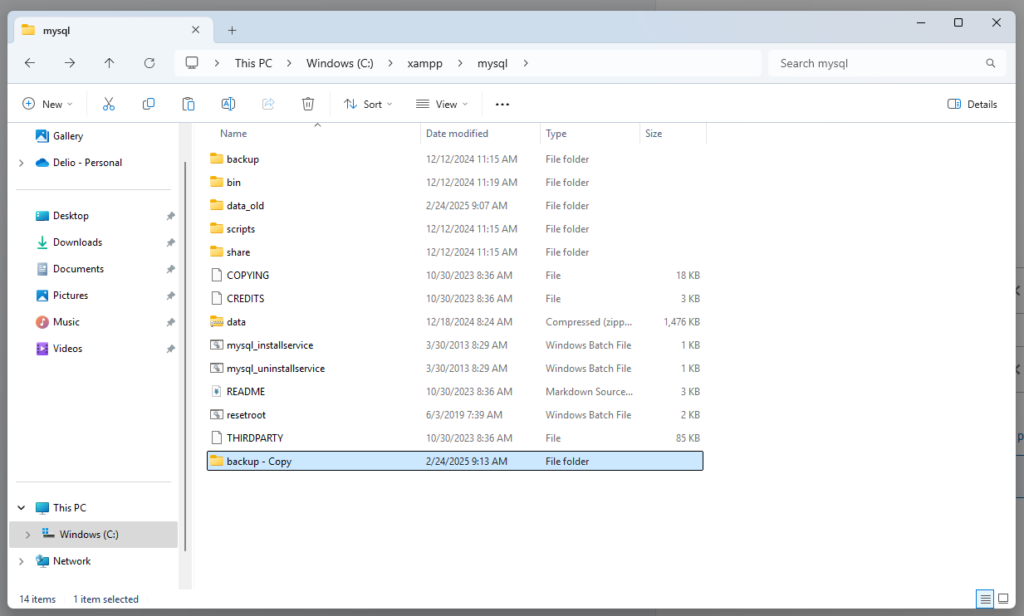
mysql/data_old into mysql/data (except mysql, performance_schema, test, and phpmyadmin folders)ibdata1 file in mysql/data_old/ folder, to mysql/data folder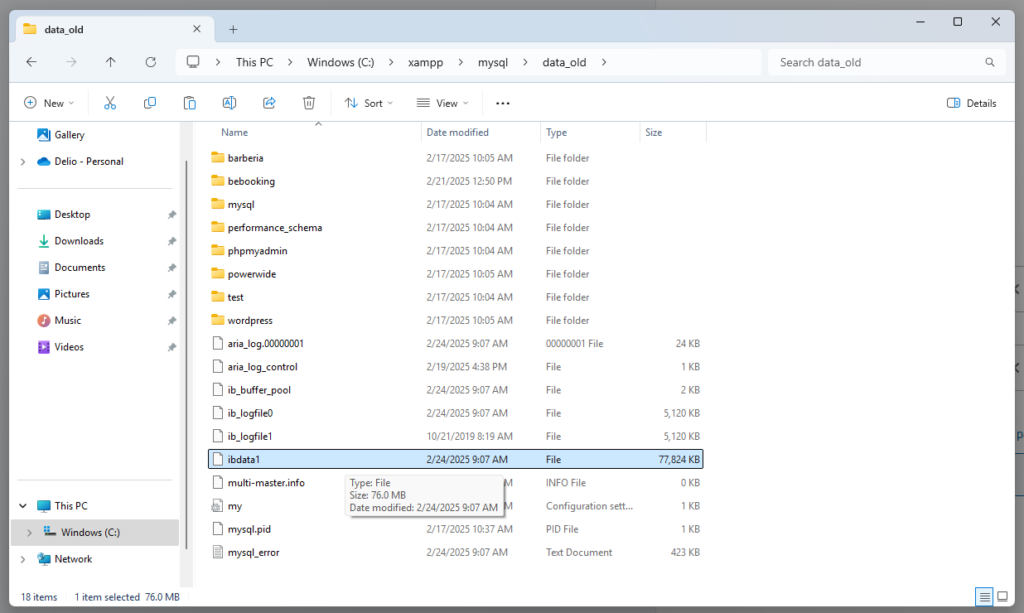
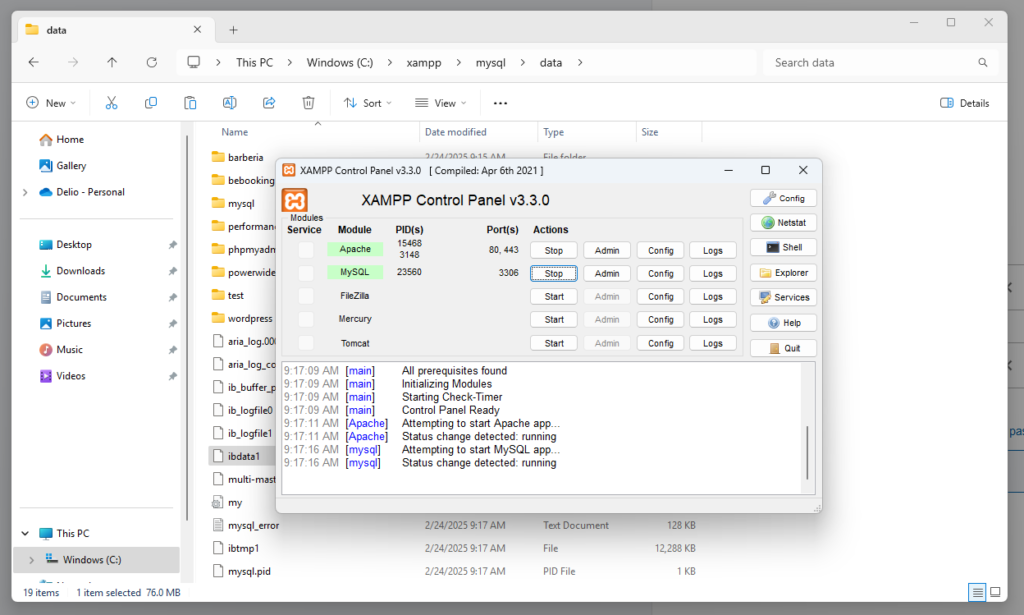
Done! The MySQL service is running again, and we haven’t lost our databases or data.